Tier 2 Metabase production deploy
PRD #75 defines Tier 2 as the self-hostable BI tier for analysts who need a local, editable surface over the tutorial’s analytical contract. Issue #71 picked Metabase as the Tier 2 winner. Issue #72 turns that verdict into the production-shaped deploy: one local Docker command, one seeded DuckDB warehouse, one seeded Metabase dashboard, and a public docs-site walkthrough so a reader can see the workflow without installing Docker.
The deploy command is intentionally plain:
cd tutorial/analytical-surfaces/tier-2/metabasedocker compose upMetabase is available at http://localhost:3001. The local lesson account is
analyst@example.test with password FOS-m13-local-review-2026!. The compose file
keeps the service bound to 127.0.0.1, mounts the storage-owned Metabase
review copy as the warehouse, and runs the seed script that creates the
FOS serving DuckDB database, the M13 Tier 2 reference views collection, and
the M13 Tier 2 analytical-surface comparison dashboard.
That shape is deliberately more than a demo command and less than a public
service. The Metabase application database is kept in a named Docker volume so
the analyst can save cards during a session. The DuckDB warehouse is kept in
the repo-level data/ directory so the file remains inspectable from outside
the container. The seed script is idempotent: if the local account, database,
collection, cards, or dashboard already exist, it reuses them instead of
creating duplicates. A reviewer can therefore stop and restart the compose
project while preserving the analyst-owned state created during the walkthrough.
The walkthrough is documented through an annotated SVG sequence rather than a screencast: SVGs stay regeneratable from prose plus reproducible compose state, don’t require an ongoing capture environment, and survive Metabase UI revisions that would otherwise rot a recorded video.
The seeded starting point
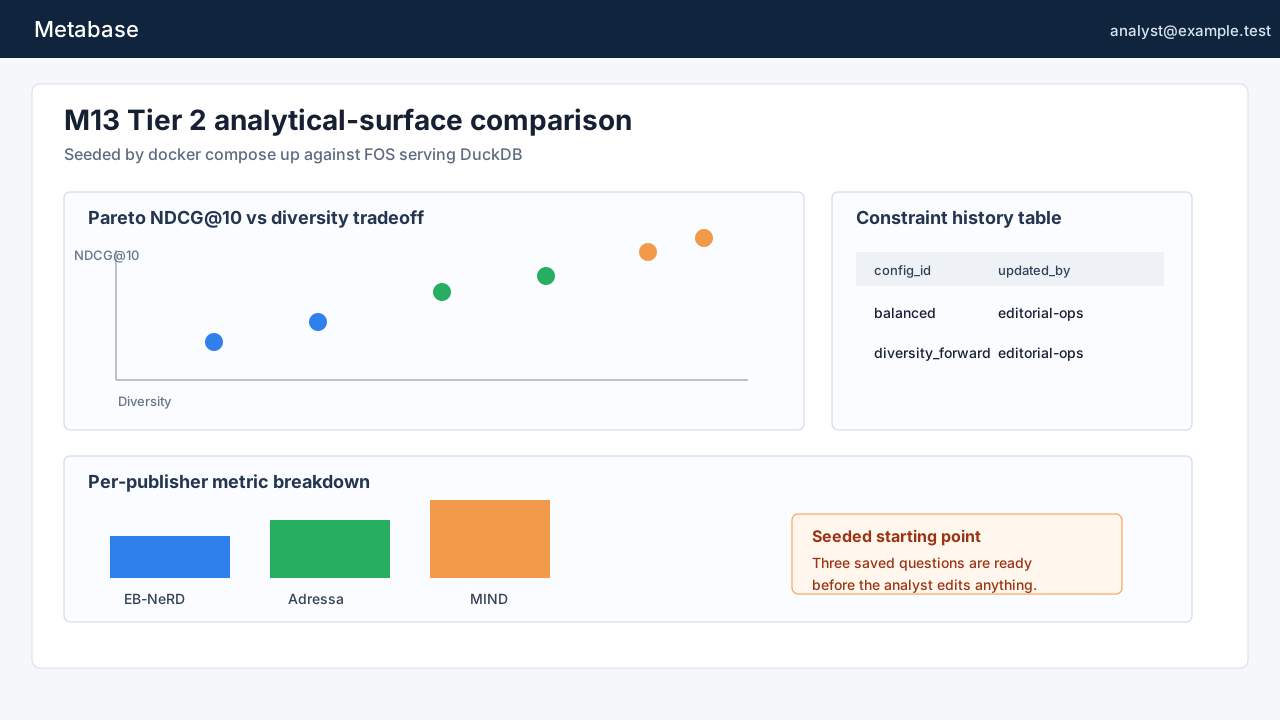
Section titled “The seeded starting point”The first production requirement is that docker compose up from the winning
tool’s Tier 2 sub-project brings up a useful local surface, not an empty BI
server. The Metabase compose project therefore has three jobs. The warehouse
service creates or reuses the storage-owned Metabase review copy and applies
the shared SQL fixture. The metabase service runs Metabase with the DuckDB
driver. The metabase-seed service waits for the API, performs first-run setup
when needed, registers the DuckDB file, and creates the saved questions and
dashboard cards.
That seeded state matters because Tier 2 is not a static publication layer. The viewer should arrive at the same starting point every time: a dashboard with a Pareto scatter plot, a constraint-history table, and a per-publisher metric breakdown. From there the analyst can branch into a follow-up question without having to remember connection details or rewrite the reference SQL.
How the workflow stays tied to the contract
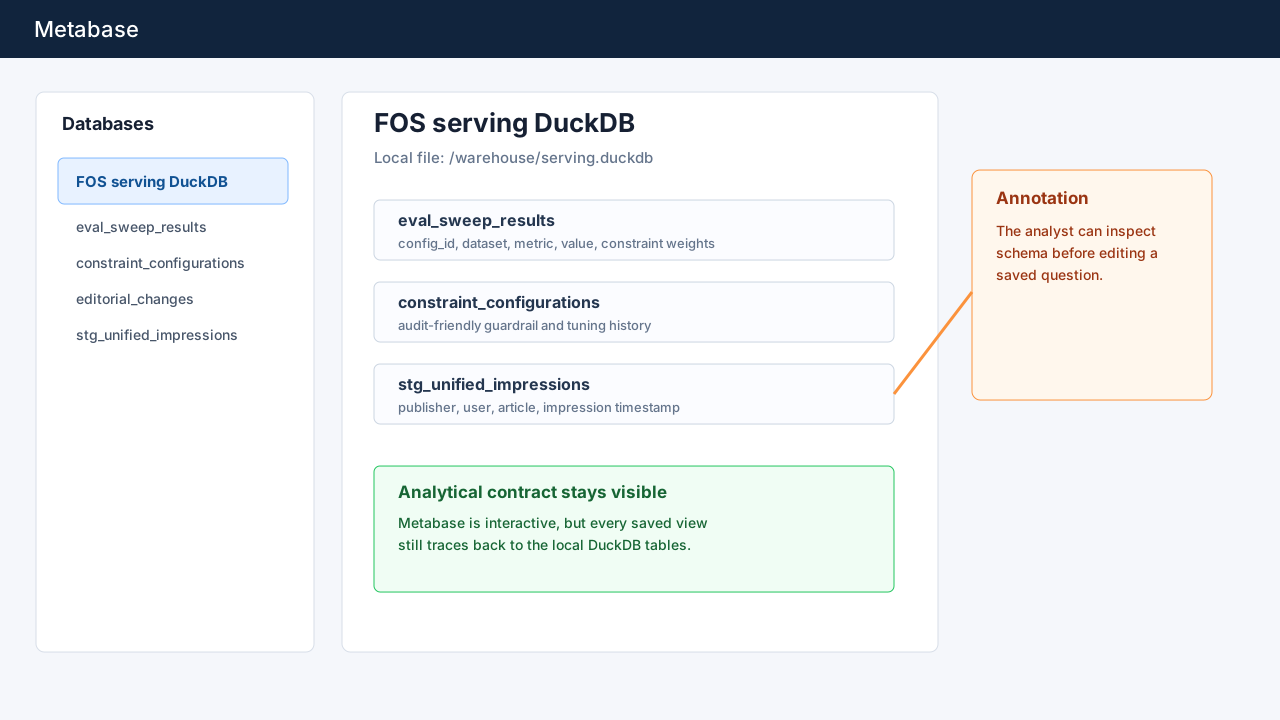
Section titled “How the workflow stays tied to the contract”Metabase is allowed to be interactive, but it is not allowed to become a loose
spreadsheet detached from the analytical contract. The registered database is
the local DuckDB file. The saved questions read the same tables used by the
prototype comparison: eval_sweep_results, constraint_configurations,
editorial_changes, and stg_unified_impressions. The dashboard does not
hide those names, because the lesson is partly about showing where the numbers
come from.
Schema discovery is the reason Metabase won Tier 2. An analyst can browse
FOS serving DuckDB, inspect table fields, open a saved native question, and
duplicate it before making a change. That path keeps the reference views
reviewable while still allowing local BI exploration.
The runbook also records the reset path. docker compose down --volumes
clears Metabase application state and lets the setup flow run again on the next
docker compose up. It does not hide or delete the warehouse file, because the
warehouse is the analytical contract being inspected. If the data fixture needs
to be regenerated, that is a separate data-platform action, not a side effect
of closing the BI server. This boundary is small, but it is what keeps a local
BI lesson from turning into an opaque appliance.
It also keeps publisher differences honest. EB-NeRD, Adressa, and MIND are joined through the same analytical contract, but they are not identical source datasets. Adressa may be the publisher with the interesting follow-up, MIND may have a different taxonomy, and EB-NeRD may carry fields that the others do not. The BI surface should help the analyst expose that shape, not flatten it away.
Worked example: Adressa follow-up
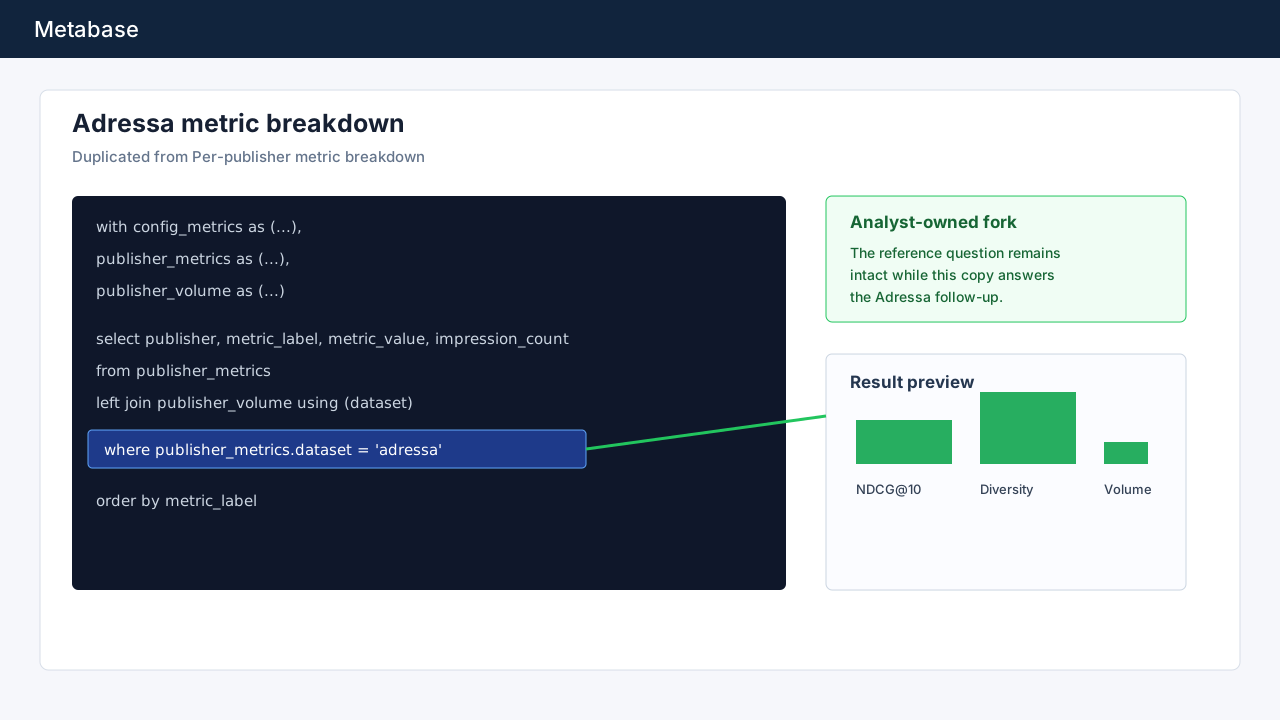
Section titled “Worked example: Adressa follow-up”The concrete analyst workflow is: “I want to know X about Adressa specifically
- how do I get there?”
Start from the M13 Tier 2 analytical-surface comparison dashboard and open
Per-publisher metric breakdown. Duplicate the saved question so the reference
view remains untouched. In the duplicate, add an Adressa predicate at the end
of the publisher metrics query:
where publisher_metrics.dataset = 'adressa'Save the copy as Adressa metric breakdown, keep the bar chart display, and
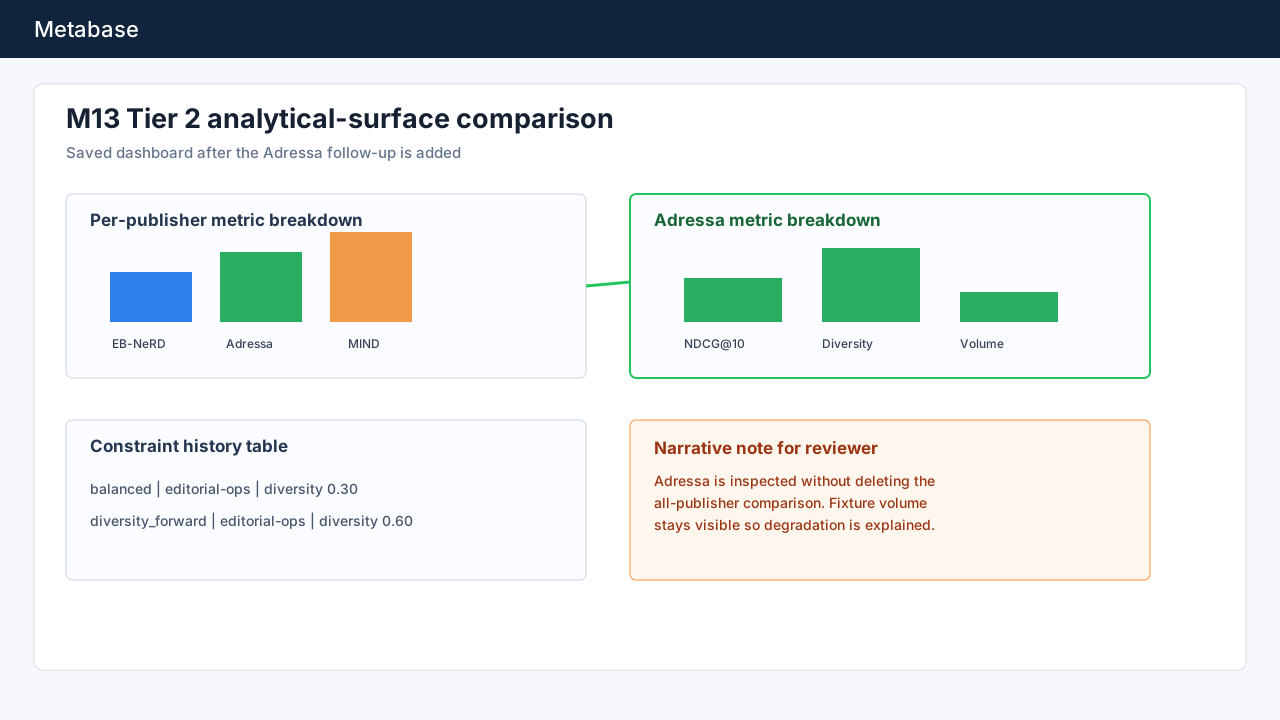
add the card back to the dashboard beside the all-publisher view. The result is
not a new production table. It is an analyst-owned saved question that documents
the exact fork from the reference view.
That distinction is the working rule for this tier. Tier 2 analysts can create new saved questions and dashboard cards inside Metabase, but those local objects do not silently redefine the contract. When a follow-up becomes durable enough to share with readers, it should graduate into a Tier 1 authored surface or into reviewed SQL in the tutorial. Until then, the saved Metabase question is a local investigation artefact: useful, reproducible from the seed, and honest about the query it changed.
The explanation should mention both the metric and the fixture volume. If
Adressa looks better or worse than EB-NeRD and MIND, the dashboard keeps
impression_count visible so the analyst can separate model behavior from a
thin publisher fixture. That is the practical graceful-degradation rule for
Tier 2: filter to the publisher, preserve the comparison context, and label
missingness or low volume directly in the saved view.
What is production-shaped here
Section titled “What is production-shaped here”This is not a public hosted BI endpoint. ADR-0014 still requires the tutorial to stay local-first, inspectable, and runnable without a SaaS control plane. The production shape is the repeatable local deploy and the public evidence of the workflow.
The runbook in
tutorial/analytical-surfaces/tier-2/metabase/README.md
spells out the command, URL, credentials, seeded dashboard, saved questions,
worked Adressa example, and reset command. The docs site embeds this screenshot
sequence until a real screencast can replace it. ADR-0026 records those
consequences so the next iteration knows where the deploy lives and what visual
artefact still needs to be upgraded.
The losing Rill prototype remains in the repository. It is still valuable evidence for the BI-as-code alternative. Issue #72 only productionises the winner selected by the verdict: Metabase as the local interactive BI surface for analyst-owned follow-up questions.